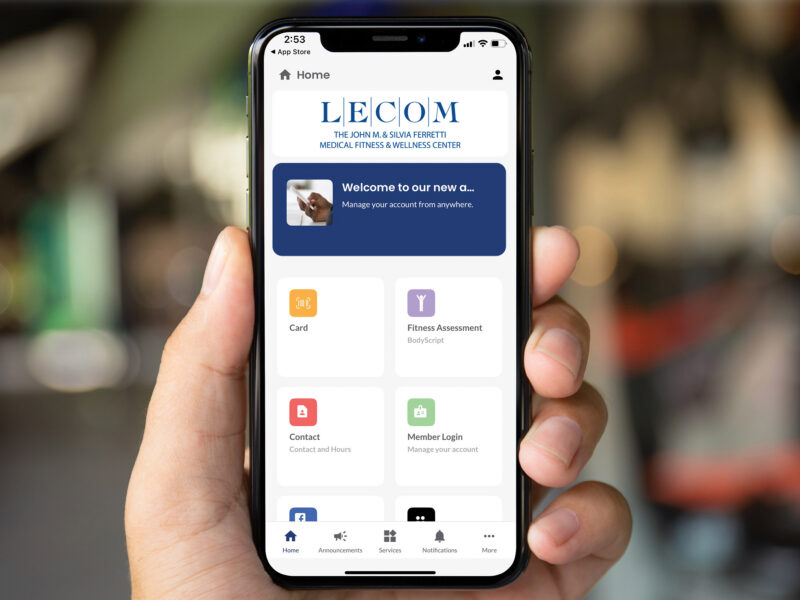

We’re excited to share that group exercise classes at LECOM Medical Fitness & Wellness will begin on March 16. We look forward to welcoming you into our studios and supporting your health and wellness journey from day one.
You can register directly for a class through the schedule tile in your mobile app. Please review our registration steps to ensure you can easily register for your favorite classes. To ensure you secure your spot, all group exercise classes require registration before attending.
View Group Exercise Schedule in the Mobile App
You can view upcoming group exercise classes using the URFitAP – LECOM mobile app, available in the App Store and Google Play™. Simply tap the “Schedule” tile to browse available classes. From yoga and cycling to strength and cardio, there’s something for everyone.
Booking a Class in the Mobile App
To register, follow these steps:
- Log in to your account by tapping the person icon in the top right corner of the mobile app.
- Tap the “Schedule” tile.
- Select your desired class to view available spots. From this page, you may also tap the star icon at the top to add the class to your Favorites list.
- Tap “Book Now” at the bottom of the screen.
- If the class is full, select “Add to Waitlist.”
- Tap “Confirm Registration.”
- Once confirmed, you may select “Add to Calendar” to save the class to your personal calendar.
Using Favorites and Managing Registered Classes
From the app home screen, tap the “Favorites” icon at the bottom to quickly navigate.
- In the “Registered Classes” tab (top of the screen), view the classes you’ve registered for or select “Unregister.”
- In the “Favorites” tab, view your saved classes. From here, you can select a class and reserve your spot.
Helpful Reminders
- Registration for all classes opens 2 days in advance of the class at 6:00 am. Premium members may register for classes 3 days in advance of the class. Advance registration for premium members must be made by calling or visiting the Member Services desk and cannot be made through the mobile app.
- If you are unable to attend a class, please cancel your reservation to allow another member to participate. You may cancel by going to your registered classes and selecting the “Registered” button. Choose “Cancel Booking” to open availability for your fellow members.
- Members cannot register another member for a class. Each member must log in and register for their own class.
We Are Here to Help
We understand this may be the first time you are registering for a group exercise class using a mobile app. If you need assistance, our team is happy help you. We look forward to seeing you in class!
For more information, please call (814) 868-7800 or visit the Member Services desk.